How Patch works: a kitchen efficiency assistant that learns with you
Patch is the assistant inside PlatePatch. It does more than suggest a recipe: it can use food you choose to record, the dinners on your plan and household preferences to offer a useful next step. You review a proposed change before it affects saved meals or groceries.
You can try tonight's dinner finder without an account. The ongoing help begins when you save a kitchen and meal plan. Patch cannot see inside your fridge or know what someone ate unless you tell it or confirm that information.
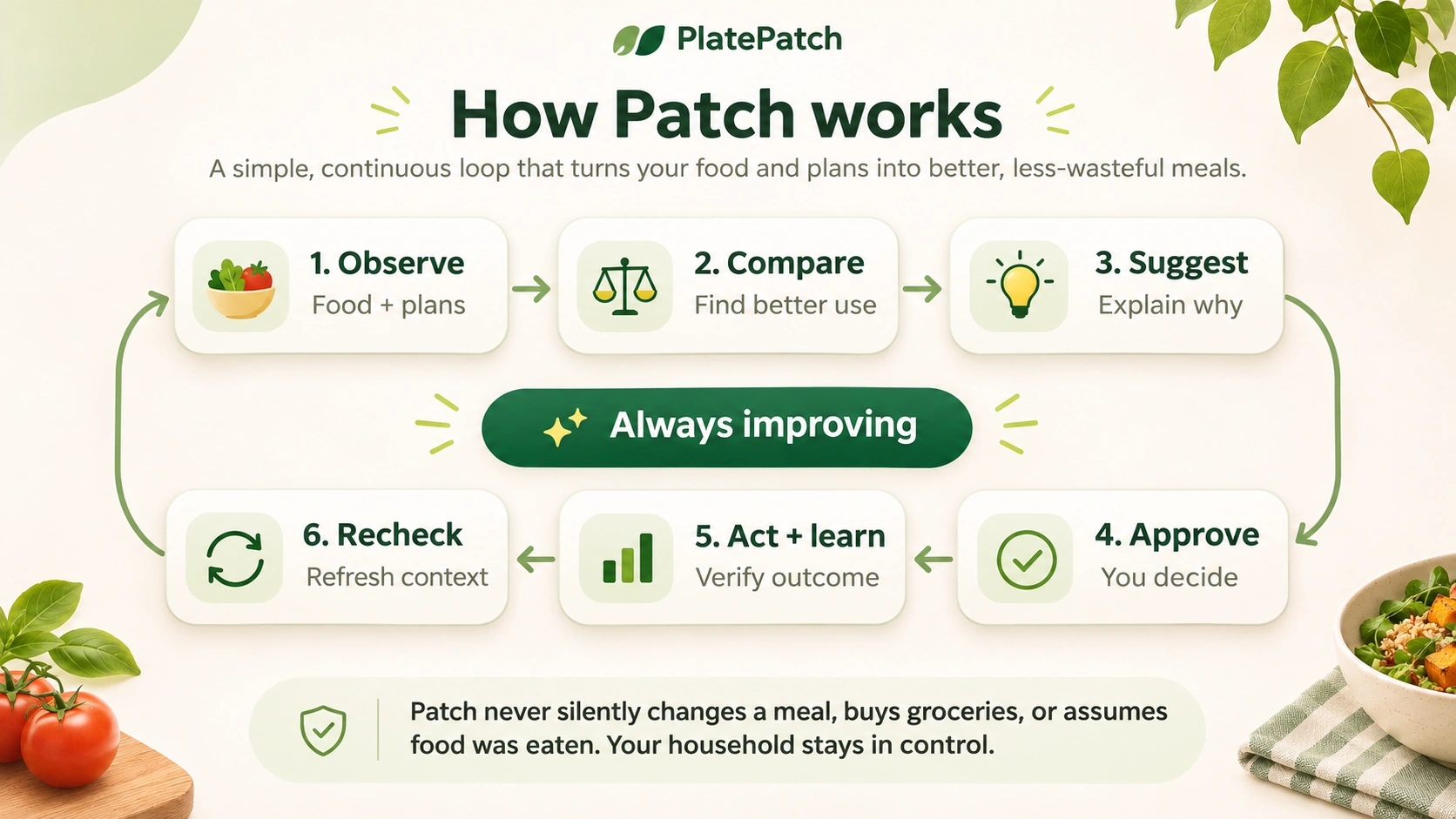
The six steps behind the suggestions
- Observe what you chose to save. Add a few foods, a planned dinner, a schedule detail or a preference. Start small. An uncertain quantity stays uncertain rather than becoming invented inventory.
- Compare possible next steps. Patch can consider existing meals, ingredients, equipment, available time and different eaters. A pantry match is a candidate, not proof that everything needed is on hand.
- Suggest something useful, with a reason. It might offer a simpler dinner for a busy evening, suggest using a leftover, or identify groceries that may change if dinner changes.
- Ask before changing the plan. You decide whether to keep, revise or reject a suggestion. An AI-generated recipe is a draft to review; it is not silently added as a trusted household recipe.
- Act on the choice you confirmed. Approved meal updates can carry through to the connected grocery list and cooking plan. People in a connected household can work from shared information.
- Learn from confirmed outcomes and recheck. A note such as “keep the sauce separate” can inform the next meal. You can review the preferences and observations Patch uses. One unusual night should not become a permanent food rule.
A real-life example: the plan changes on Tuesday
Imagine your week includes chicken and rice on Tuesday, with extra portions intended for Wednesday lunch. You get home late and choose a prepared meal instead.
Patch can help review the consequences: Tuesday's original ingredients may no longer be needed, and Wednesday's planned leftovers might not exist. It can suggest a simpler lunch and show which groceries need another look. You approve any update. Dinner changes do not need to erase the rest of the week.
This is an illustrative workflow, not a claim that a specific household used or saved those meals. See dinner rescue and what to do when a weekly plan changes.
Where Patch connects the rest of the kitchen
- Pantry and fridge — consider recorded ingredients, prepared foods, leftovers and quantities before suggesting dinner.
- Weekly meal planning — fit dinners around busy nights, cooking effort, optional lunches and breakfasts, and planned time off.
- Different eaters, one household — consider familiar foods, texture preferences and serving components separately when appropriate.
- Shared grocery lists — connect approved dinner changes to groceries; review photo and barcode matches before checking items off.
- Recipes and guided cooking — follow practical instructions, check temperatures and carry appropriate plate notes into cooking.
- Kitchen questions — browse reviewed public answers or ask Patch a question specific to your saved plan when signed in.
What Patch knows—and what it does not
Patch uses details you provide or choose to confirm. Photos need your action and review; a grocery receipt does not automatically prove a meal was eaten; and a suggested preference is different from a preference you explicitly saved. Review food safety, allergens, portions and ingredient substitutions for your circumstances.
Store prices can be estimates or verified observations with different coverage. PlatePatch should not imply an exact grocery bill or dollar savings when the underlying prices are unknown. Food and family data belong in your private household workspace, not in public search pages.
Common questions about Patch
Is Patch just another AI recipe generator?
No. Recipe creation is one part of the experience. The larger goal is connecting dinner choices, practical cooking, the shopping list and household-approved learning so you repeat less setup.
Will Patch change my meal plan without asking?
Proposed changes require review. You can keep the existing dinner, choose another option or edit what Patch suggested.
Do I need to inventory every cupboard to begin?
No. You can try a dinner with one or two ingredients. Add accurate quantities and saved preferences later if they make suggestions more useful.
Can I use PlatePatch if we eat prepared food or get takeout?
Yes. Prepared food, leftovers, simple assembly meals and intentional takeout nights all belong in a realistic meal plan.
Start with one dinner
You do not need to configure a whole household to see what PlatePatch can do. Find a dinner using food you have
After that, explore the phone demonstration, full feature overview or current beta details.